
House of The Locust Item Spawn Locations & Search Routes
Find nest objectives without memorizing one YouTube path as a permanent map.
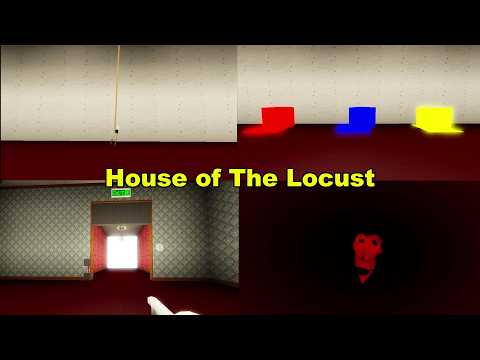
Players searching House of The Locust item spawn locations want a practical method for finding objectives—not a prop bible copied from unrelated games. This page teaches a search-route approach built from verified community footage: learn repeatable room landmarks, then route through them systematically rather than chasing one fixed path.
NULLWORKS STUDIOS’ Roblox experience (place 86247128610772, universe 10530261598) is explicitly Pre-Alpha. Item locations, container types, and spawn tables can change between builds. A frozen list goes stale. A search method adapts.
The search-route philosophy
Treat item locations as jobs attached to room landmarks, not as coordinates on a memorized map. When you know what a repeatable room landmark looks like, you can find its interactables even when contents shuffle between runs.
Core habit: see the room first, then look for the object. Camera discipline before item greed prevents the panic loops that lose runs.
Item categories and their search context
Early objectives: colored cubes
Colored cubes—red, blue, and yellow—typically start the escape chain by leading toward the wire cutter. They appear in consistent container types and room zones.
Search habit: when you enter a new area, identify containers that typically hold early objectives before scanning for them specifically.
Progression item: wire cutter
The wire cutter unlocks access to keycard areas. Its spawn is less random than cubes—watch the embedded video to see the container type and room context where it appears most consistently.
Final objectives: key and keycard
The key handles a late lock. The keycard stays with The Locust, so every pickup near the final zone carries different risk than early-game item runs.
Risk reminder: the keycard’s association with The Locust means picking it up requires either stealth or a deliberate commitment window. Factor that into your escape timing.
Dead-end and bait objects
Some interactables look like objectives but do nothing in the current Pre-Alpha build. The healthy response: mark them Unknown until you have time to verify, then update your personal list.
How to use the embedded video
The mid-article video shows a full session with items, jumpscares, and the ending. Pause when each interactable appears. Write three columns:
- Seen — what the recording shows on screen
- Verified — what you personally confirmed in today’s build
- Unknown — what chat claims but you have not seen
Move items from Seen → Verified only after touching them live. That discipline keeps your item knowledge accurate across Pre-Alpha patches.
Search-route habits
- Container recognition: learn what repeatable container types look like across different room styles
- Landmark sequencing: build a personal order for checking high-value containers first
- Risk budgeting: assign pickup windows based on The Locust’s last known position
- Escape timing: factor item pickups into your overall run structure—see How to Escape
Relationship to other pages
- House Map & Navigation — landmark graph that supports search routes
- All Items — broader item literacy method
- How to Survive — what to do when item runs put you near The Locust
- Escape Checklist — objective chain that uses item knowledge
Pre-Alpha change reminder
The Boiled One update brings new maps for Lights On and Lights Off. After any map change:
- Re-watch video sections that show item contexts
- Run one recon session focused on container recognition
- Update your Seen → Verified list
- Adjust your search-route order
Practice drill
Run one session where Escaped is not the goal. Your only score is how accurately you sort interactables into Seen / Verified / Unknown. That drill builds the item literacy that structured escape attempts need when The Locust pressure spikes.
Closing
Item spawn locations are a search problem, not a memorization problem. Build container recognition, respect The Locust’s position before each pickup, and let your Seen → Verified list grow across sessions. That method stays useful when maps change—because it was never about one path, it was about reading the nest.
Frequently Asked Questions
Quick answers to the most common questions.
Where do items spawn in House of The Locust?
Items appear in repeatable container types within room landmarks. Use the search-route method rather than memorizing one walkthrough's exact positions.
Do item spawns change after updates?
They can in Pre-Alpha. After patches, re-verify your Seen → Verified list and update your search-route order.
Should I use scripts to find items?
No. Read Script Safety and build fair container-recognition skills instead.